EMC Navisphere Simulator Download

April 13, 2010
I’m currently revising for an EMC exam and part of the course material involves doing some training on the Navisphere simulator. No problems, except where on earth do you download the simulator software? I searched for ages before finding out that you only get access to it on EMC PowerLink if you are an EMC employee, partner or you have bought the relevant training.  I had done the latter but still couldn’t get it downloaded for some reason,  that’s when a google search turned up a link to the following page which required no credentials, EMC Education Services product simulators.
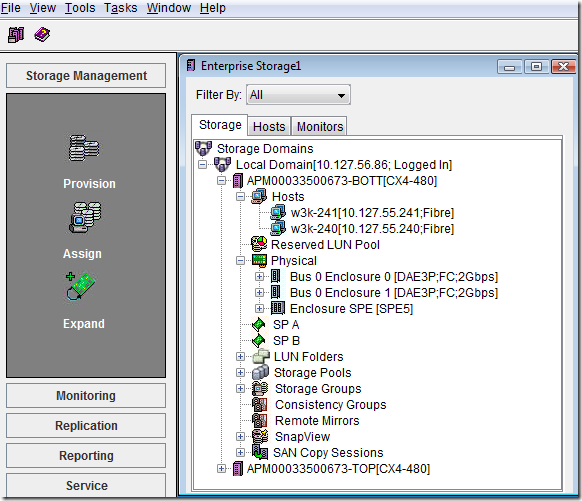
Navisphere


I managed to download the latest version for EMC Flare release 28 without issue.  I was however asked for my EMC PowerLink credentials when I first opened the simulator so perhaps that’s how it’s authenticated against the training purchased. It’s a really good learning aid and I’ve been able to find out how to do things on it that I wouldn’t have dared to attempt on our actual CLARiiON implementation. Hope this link helps someone who’s searching for this,  took me ages to find it.


    Clck here to download.  


++++++++++++++++++++++++++++++++++
By Laxman
create a Cartoon you!Spice works Free helpdesk toolget Free Emoticons for FacebookJavascript Menus in just a few Clicks5 Things Web Publishers Need TO KnowGet NOW FREE FB EMOTICONSMUMBAI UNDERWORLD by ibibo Play NowMr-Facebooker-Tweeter-Googler!
Silently and remotely remove Symantec Antivirus

Silently and remotely remove Symantec Antivirus

April 13, 2010
There is even a line there showing what program it calls to actually uninstall which is (surprise, surprise) MsiExec.exe. Just typing that line in a console starts the removal process just as if you called it from add and remove programs.
The actual line needed with all of the proper arguments is.
"MsiExec.exe /norestart /q/x{BA4B71D1-898E-4306-AE87-8BA7A596F0ED} REMOVE=ALL"Typing msiexec /? will give you a dialog box with what all the arguments
corporate edition of Symantec's antivirus can require a password to be uninstalled.
to fix the password issue, we can start up regedit and from the file menu connect via the network to the remote machines registry. Then navigate to the following key.
 "[HKEY_LOCAL_MACHINE\SOFTWARE\INTEL\LANDesk\ VirusProtect6\CurrentVersion\AdministratorOnly\Security]"
In that key make sure the two following values "LockUnloadServices" and "UseVPUninstallPassword" are zero. That takes care of the password asking problem.
Lo and behold the remote computer dutifully uninstalls that pesky virus program ready for a fresh install.

The account that you do all this work under has to have domain administrator privileges and the remote computer has to be joined to said domain.
Network Problem while installing VPN client.

Network Problem while installing VPN client.

April 09, 2010
Re-join the machine into Domain.
Here is the commands and we need Domain Admin rights to upon 
this commands to re-join the machine into Domain

· netsh int ip reset resetlog.txt          · netsh winsock reset catalog